Archive for the ‘Team Inspiration’ Category

Not your Ordinary Journal {ideas}

Friday, January 11th, 2013

molokai_mshefveland michelle shefveland. details here

Rachel here with some creative journal ideas. When I was younger, probably middle-school age, I wrote daily in a little diary every night before I went to sleep. I’m sure the majority of what I wrote was pointless little kid silliness and such, but when I look back on it, I recall so many small moments of what life was like for the small-version of myself. Sketching ideas in my journal was another frequent activity. It is a fascinating experience and I wish I did it more often as I got older.

journal10 rachel shefveland. details here

I’m sure many of you had (or still have) similar journals or notebooks, but I find  today there is so much technology available to keep track of those same simple memories, like Facebook, Twitter, Instagram, and especially digital scrapbooking that it almost makes diaries obsolete. So that is what our Nature’s Sketchbook Art Journals are for. With them you can “write in your diary” in a unique, realistic, and may I add beautiful digital journal. No more trying to remember to record the events of a birthday party or date as you are getting ready for bed, exhausted, and then continually putting it off (I am guilty as charged!). Above is a journal piece Mom has shared before, recalling memories of her photography trip to Molokai…and one of my earlier sketches.

Just releasing our 16th set, each set comes with five different digital collage journals. See all of our Nature’s Sketchbook Journals here.

cottagearts-net_2246_315897574 cottagearts-net_2241_54078524

There are so many more uses for these journals, too. Use them as backgrounds on their own, mats, art accents, layering pieces on your digital layout, or as part of an art journal or faithbook.

Here Beth expertly layers a journal from our newest set with other organic elements as she loves to do.

winter_birch1_resize beth ervin. details here

Journaling can help ease grief, pain, and sadness. Here Mom uses it to journal feelings and photos about Grandma’s difficult breast cancer battle. In creating something pretty, Mom was able to feel gratitude, even while hurting.

mom-faithful-mshefveland michelle shefveland. details here

Below are additional ideas by our team in adding these great elements into your everyday layouts. Hope they spur your imagination as well!

Note: click on any image below to enlarge and open lightbox viewer.

Oh, and see a really awesome hybrid project how-to by Beth for printing your digital journal and making a book on our blog here.

finding_balance_1_resize beth ervin. how-to here

FYI…our newsletter went out this morning with new products, weekend sale info, subscriber offer, and more. Free sign-up here.

Happy creating! Rachel

Showcasing Travel Photos {ideas}

Sunday, November 4th, 2012

guate04_ca Nature’s Sketchbook – Photo Art Blends 4 (#49), This is Life 6 Scrap.Words

Three weeks ago today I set out on my first international adventure. I was traveling to Guatemala for a week-long mission trip, with a group of women that I had never met (save my great aunt JoAnn, AKA my travel buddy). Nervous? Check. Excited? Definitely. After two very early flights, a race through a very big airport, a wait in a very long customs line, and a forty-five minute drive in a very bouncy van, I had 5 new friends and found myself in a very different world. During the next seven days, we were exposed to the realities of poverty; but within the cornstalk walls and dirt floors, we found an unbelievably strong and hopeful people. I walked away from this experience with a completely different outlook on life: no matter what pain, inequality, despair, or fear that might face you, there is always hope for a better and brighter future.

And with that, I will share with you some snapshots I turned into Photo Art Blends using sets 1 and 4. When traveling somewhere you know you may never have the opportunity to go again, it is so important to capture images of important places, people, and moments. Even though we were constantly on the move and busy soaking in the entire experience, I made sure that I always had my camera with me (Canon SD790 point and shoot). Always. Simply because I knew that when I returned home, having these photographs to look back on would be a wonderful reminder of my time spent in Guatemala. AND so I could make pretty things, of course. :)

guate07_ca Nature’s Sketchbook – Photo Art Blends 4 (#8)

guate01_ca Nature’s Sketchbook – Photo Art Blends 4 (#18)Whispers of Time (word art)

guate02_ca Nature’s Sketchbook – Photo Art Blends 1 (#13)

guate03_ca Nature’s Sketchbook – Photo Art Blends 4 (#40), Simply Faith 7 Scrap.Words

guate05_ca Nature’s Sketchbook – Photo Art Blends 4 (#45)Nature’s Sketchbook – Photo Art Blends 2 (#8)

guate06_ca Nature’s Sketchbook – Photo Art Blends 4 (#15)

guate08_ca Nature’s Sketchbook – Photo Art Blends 4 (#10), This is Life 4 Scrap.Words

Hope you’re feeling inspired to do the same with your travel photos! Now go on, enjoy this beautiful Sunday.

Rachel

Autumn Blending {ideas}

Wednesday, October 24th, 2012

rachelt-becomingyou-janeausten-naturesketch2 michelle shefveland. becoming you pak, click.masks 35, nature’s sketch 2 elements

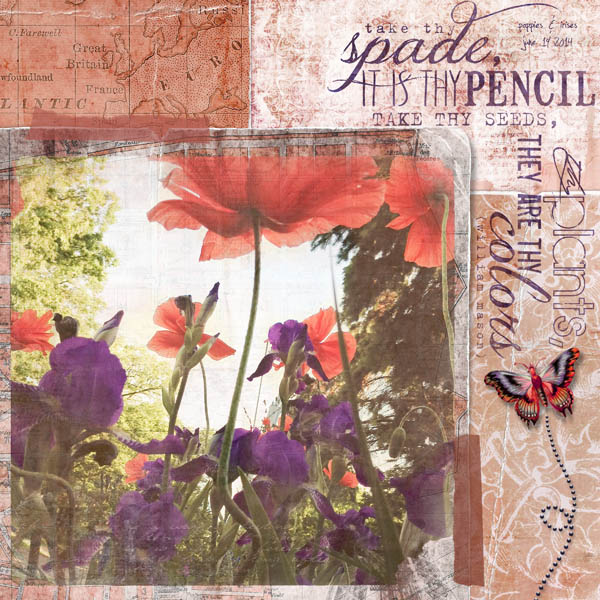
We just released a pretty set of autumn Click.Masks (35) so wanted to share some ideas on how we used them. Each of them is a mix of script, paint strokes, and autumn collage elements, some in portrait and some in landscape. Rotate for more possibilities. Introductory pricing for a limited time.

cottagearts-clickmask35-prev

Because of the painted characteristics of this set, simply clipping a photo to one is all that is needed to achieve the look in each of these layouts. Links to 5 how-tos are included with this set of Click.Masks.

fallenjoyingnatureme2012-autumnfields-clickmasks35 rachelt-autumnfields-clickmasks35 homeaustenfall-becomingyou-clickmask34

See layout details and more digital art celebrating autumn in our team gallery here.

See more photos from this senior shoot here.

Happy creating! Michelle

New FrameBlends no.2 {ideas}

Thursday, September 6th, 2012

tulips2012-fresco2-frameblends2 michelle shefveland

Our team just released a second set of FrameBlends, so thought it a good idea to pop in and share some inspiration on how to utilize them and their ‘fun’ factor! Introductory pricing thru Sunday, September 9, 2012.

This set comes with 12 different vintage filmstrip frames and frame clusters for 1, 2, 3, 5, 9, and 10 photos. Eight of these also come with ready to use texture overlays, so 20 total.

cottagearts-clickartistry-frameblends2-prev

Here are some tips and ideas…

gardengods2012-frameblend2-roadtrip michelle shefveland. frame blends 2, road trip pak

Simply use one of the full page single FrameBlends ‘as is’ to showcase a favorite image (shown above). Perfect for displaying as wall art. Drop shadows come on the frames with the textured blends so all you need to do is drag and drop. Voila…instant color, texture, softness, and shadows where needed!

Pair with a painted Click.Mask for soft loveliness (as shown at top). A clip from our Art Journal Clipboards makes the perfect ‘fastener!’

Juxtaposed with a colorful modern image and photo booth strip, the vintage frames add interest as Tonya shares here.

201209_grade_2 tonya regular

All who love layering, simply plop on top of your favorite scrap.clusters. When using a FrameBlend the photo gets a real dreamy effect.

rachelkayak2012journey-arbortem-frameblends2-lovegrows michelle shefveland. frame blends 2, arboretum papers, love grows elements, road trip scrap.words

Here’s how the page and photo looked before we dragged and dropped the FrameBlend on top.

rachelkayak2012journey-arbortem-frameblends2-lovegrows-before

Add a creative twist by offsetting a single FrameBlend over a photo booth strip (using our new Photo Booth Scrap.Templates). We added a clear frame over the top of the frame blend to add a bit larger shadow.

summerlake2012-photostrips-offbeatenpath13-frameblends michelle shefveland. frame blends 2, off the beaten path 13 papers, photo booth scrap.templates, letting go pak (hinges), words to live by

Here’s how the layer palette looked…place the clear frame over the textured FrameBlend. My drop shadow settings were 120 degrees, size 21, distance 19.

frameblend2_1

Or…under some photo booth strips…

scrapbook_page_526_small rachel shefveland

Use the 9 frame set to tell a story or share a series of images. Used without blends, you get clear and crisp images. We made this for Mom, as she continues to sew as art therapy for her cancer battle.

joyfulstitchescollage-frameblend2 michelle shefveland. frame blends 2, photo art blends 3, love grows elements, in my garden pak

And, last but not least for ideas…they are of course perfectly suited for heritage layouts! Beth uses three of them below…two for highlighting word art…

plum_haze4_resize beth ervin

So many possibilities for endless creative play. See more ideas and details for layouts above in our frameBlends 2 gallery.

See more ideas and tips using our first set here.

Happy creating!

Michelle and team

1 Freebie Scrap.Template 3 ways {ideas}

Monday, August 27th, 2012

adorable2-scraptemplate_cottagearts.jpg michelle shefveland

This past Friday’s newsletter gave our subscribers a 12×12 layered Scrap.Template freebie. What so many LOVE about Scrap.Templates is how totally varied looks can come from just one template!

cottagearts-adorable-scraptemplate-prev.jpg

As visual examples, see how we celebrated our own style using three different  kits (Arboretum, Watercolor Blends, and Adorable). You can also add elements and make those on the template invisible to change the feel (as I did above).

scrapbook-page-525_0.jpg rachel shefveland

For this one below, Rachel flipped the whole template horizontally (Image>Rotate>Flip Horizontal), duplicated the frame, mask, and custom shadow layers (Layer>Duplicate Layer), re-sizing as well (with Move Tool), to add another image to the page. LOVE!

adorable-scraptemplate-sample3_cottagearts.jpg rachel shefveland

See more ideas for varying our Scrap.Templates on our blog here.

We’ve also just released another layered Scrap.Template Photo Book kit…making a whole photo book a snap and so customizable. Here are some of our latest Scrap.Template sets. Limited Professional Licenses are available for our products right on each product page (one license needed per product).

FYI…if you’re not a newsletter subscriber yet, free sign-up here (you can access the past year or so of archives at the bottom of each newsletter – when the next one is sent).

Happy creating! Michelle and team

Using Frame.Blends/Instant Date Stamp {how-to}

Friday, August 24th, 2012

bayfield2012sail-chevron-frameblends1.jpg michelle shefveland. supplies

A quick and easy how-to…using our new Frame.Blends and one of my favorite date fonts: Misproject. This font gives a distressed vintage date stamp look. Let’s just add two other steps to give even more realism (like you really stamped it on your page).

We’ll also show how fun, easy, and versatile the Frame.Blends are! They come with and without a subtle photo blend overlay and are sized perfectly for your instagram shots (or any other square photo). See below for how you can combine the two versions for more variations.

cottagearts-clickartistry-frameblends1-prev.jpg

Here’s how:

  1. Open Adobe Photoshop Elements (or Photoshop/Corel Paint Shop Pro)
  2. Open 12×12 background paper of choice (Chevron Blends)
  3. Open Frame.Blends (opened both 10 and 10Blend)
  4. Drag both onto paper (they are identical except for 10Blend having a ready-to-use texture overlay included)
  5. Open 4 photos (mine are instagram shots) img_20120617_183410.jpg
  6. Drag onto layout
  7. Resize and position photos, as desired
  8. Adjust layer position of both Frame.Blends to be on top of photos in the Layer Palette (non-blend frame should be on top) frame_blend1.jpg
  9. For some layouts or images you may desire less texture on the Frame.Blends (which is the reason we offer them plain and with a photo blend overlay; you can use them in duo). Play with the opacity of the 10Blend FrameBlend to preferred amount of texture and color. In this sample we set the opacity to 35%, since instagram shots already have texture applied.
  10. Using Type Tool, select Misproject font, color, and size desired
  11. Type date as shown with spaces to look like a vintage postage stamp datestamp2.jpg
  12. Now…simply rotate font a touch with the Move Tool so it isn’t perfectly straight
  13. And, decrease the opacity to let the layer beneath it show through for more realism (will vary based on color of text and layer beneath – sample used 62%) datestamp1.jpg
  14. To complete, we added a frame and word art quote from Words to Live By Scrap.Words, changing the color of the frame to a warm gray (shortcut: Ctrl+U; mac: Cmd+U) to match the photo corners on the frame.blend. We used the frame to hold a bit of journaling on the top left edge. bayfield2012sail-chevron-frameblends1.jpg
  15. That’s it!

In this next two collages, Marie creatively used Frame.Blends to accent her word art.

watercolor-paper-opt.jpg marie di raimondo

watercolor-o-pt_0.jpg marie di raimondo

For the soft piece below, I combined a painted Click.Mask with a Frame.Blend trio for extra softness. Works well with baby shots.

hannah-blossomblends-frameblends1.jpg michelle shefveland. supplies

Note: our What’s New newsletter went out Friday afternoon, with a great sale on all Element Paks (including the Frame.Blends), coupon code, and lots of new products!

And, here are more ideas using Frame.Blends from our team. All layout details in our Frame.Blend gallery here.

philip_kayak.jpg michelle shefveland

201207_sunset.jpg tonya regular

bayfield2012-naturesketch10-worldtravels-frameblends.jpg rachel shefveland

bruzeklove-4-2012-simplyyou-scrapblends1.jpg michelle shefveland

borntocreate2012-piecesme11-12-frameblends1.jpg michelle shefveland

blossom2012-roadless-simplyyou.jpg michelle shefveland

alyssa-grad2012-chevronblends-lovegrows.jpg rachel shefveland

Happy creating! Michelle and team

Blending & More w/Art Journal Cards {ideas}

Friday, August 3rd, 2012

scrapbook_page_514.jpg rachel shefveland. layout details

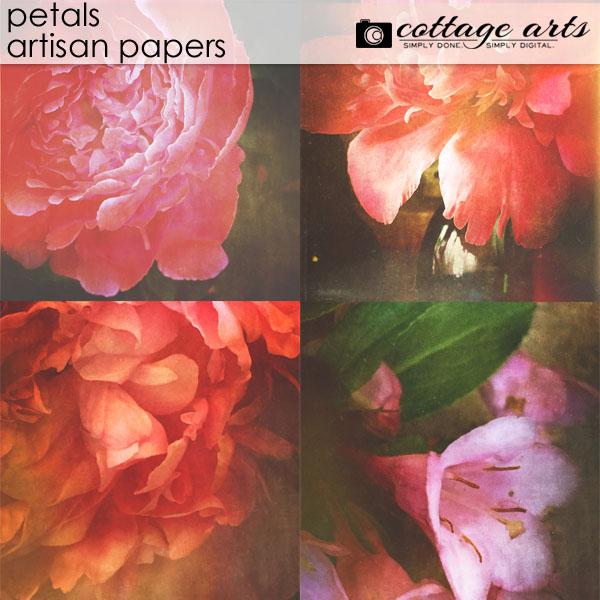
Get creative with our Art Journal Cards: 4×6 paper mats coordinating our digital kits. Shown are a few of our varied sets.

Here are a few ideas on their versatile uses:

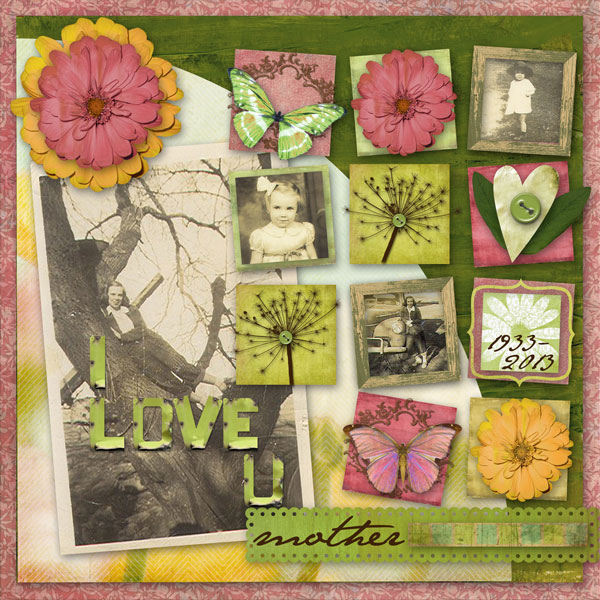
  • Use as accents on your digital layouts. Beth, a layering aficionado, stacks them here and there effortlessly! The cards are created to complement our most popular kits, and use snippets of designs from them.

love_grows_11_resize.jpg beth ervin. layout details

  • Sized for standard photo printing, hybrid scrappers can use them as journaling mats. Simply type your journaling on the cards using your image editor’s Type Tool, save as a high quality jpg (9-11 quality), and upload for printing. These work especially well for Project Life or everyday scrapbooking. We recommend matte rather than glossy finish.
  • As expected they are perfect for digital scrapbooking journaling, too!

scrapbook_page_504.jpg rachel shefveland. layout details

  • Paired with our popular Click.Masks, the art journal cards blend into backgrounds as if always there (as on Rachel’s layout at top)…
  • Use in your digital or hybrid card making like Beth has with our Linens & Lace set.

linens_and_lace6_resize1.jpg beth ervin. layout details

linens_and_lace5_resize.jpg beth ervin. layout details

  • And, my personal favorite use is as photo blends. Simply drag, drop, move, resize, and reposition photo over art journal card and play with layer blend mode. This layout simply used Darken to add a touch of texture and pattern to the image.

scrapbook_page_512.jpg michelle shefveland. layout details

blend_1_0.jpg
  • For hybrid scrappers (combining digital and paper), add texture and color in this same manner to your photos before printing for your paper art projects. You can experiment with the image beneath the art journal card or above. Play with the blend mode of the top layer. Digital scrappers can do the same right on their layout.
    • Using 03 from the Everyday set, I adjusted the blend mode to Darken at 70 percent to add a vintage texture to this baby image. I then erased the texture from the baby.

    blend_2_0.jpg michelle shefveland

    • Using 01 from the Love Grows set, I adjusted the blend mode to Color Burn, again erasing texture from the baby’s skin. Love the vintage feel!
blend_3_1.jpg

hannahblend-love-grows-artjournal-inmygarden.jpg michelle shefveland. layout details

I’m sure you’ll come up with even more uses for them…happy creating!

Michelle and team

Instant Vintage {how-to & ideas}

Saturday, July 14th, 2012

ca_down-on-the-farm2_0.jpg karen wilhelm. faded memories border bits, down on the farm papers & elements, click.masks 30

When I first saw this layout of Karen’s grandfather’s ranch I was immediately drawn to its worn, vintage feel. Granted, the image was shot in the 60′s so was already ‘vintage.’ But by simply clipping to one of our torn papers Click.Masks, texture and more age was added, blending it into the painted scenic background paper.

Here’s how easily it’s done using Adobe Photoshop Elements (Photoshop follows similar steps):

  1. Open Adobe Photoshop Elements
  2. Open background paper (Karen used the painted field paper from Down on the Farm Papers)
  3. Open desired Click.Mask (Karen used 05b from Click.Masks 30) and drag onto paper. Note: a feature in our Click.Masks is most sets come with two varied distressed versions of each click.mask so you can sample both to see which intensity you like best. Sometimes you want a more soft painterly look and sometimes a stronger image. So we offer you both! cottagearts-clickmask30-pre.jpg
  4. Karen flipped the Click.Mask horizontal (select Image>Rotate>Flip Layer Horizontal) vintage_1.jpg
  5. Open photo and drag onto layout, resizing and repositioning as needed with the Move Tool vintage_2_move.jpg
  6. Clip the photo to the Click.Mask (Layer>Group with Previous or shortcut Ctrl+G; Mac: Cmd+G) vintage_3_clip.jpg
  7. Voila…because of the painted background and aged paper click.mask, the result is an instant vintage painting effect!

I created a similar effect in my horse layout below using current photos taken with a Canon 7D. Any photos are given instant age and texture.

horse2012_downfarm_borderbits.jpg michelle shefveland. everyday 2 papersfaded memories border bits, down on the farm papers & elements, click.masks 30

Patti showcased an amazing heritage image using a similar technique, while adding another photo to complement her page.

growin_-up-country.jpg patti senter. down on the farm papers 2 & elements, click.masks 30

FYI: see many more Click.Mask how-tos on our blog here.

Our team shared their love of horses and country with more stunning layouts using Down on the Farm art. You can see details in our gallery here. With over 20 in the gallery be sure to see all three pages.

Happy creating! Michelle

Grow.Cook.Shoot {food photo tips & more}

Thursday, June 28th, 2012

home-cookin-down-on-the-farm.jpg down on the farm 2 papers, elements, & art journal cards, click.masks 31, in my garden danglies

Lots to share today! With our 12 new art downloads, we’re celebrating summer in North America, along with vintage art geared towards farming, gardening, sewing, and nature. Here are some of the new products and how our team played with them (Sale ends Friday…newsletter details at end of post).

See layout details in our gallery here.

scrapbook_page_504.jpg rachel shefveland. photos by michelle shefveland. down on the farm papers, elements, & art journal cards, click.masks 31, in my garden danglies

One of my favorite photography/scrapbooking subjects is food, either straight from the garden or farmer’s market or as a finished dish. The past few years we’ve made a concerted effort to eat as much organic and raw foods as possible, making for some beautiful (and cooperative) models!

Here are a few tips on how we like to capture life in the sharing of food (click to enlarge):

  • Take advantage of beautiful dawn or dusk light when photographing your garden. Celebrate light and bokeh in these shots! v2011_08_14a011-custom.jpg
  • Shoot from above for optimal focus and to beautifully capture a finished dish. v2011_07_21a003-custom-copy.jpg
  • Use natural light when at all possible. Flash often makes food less appealing. Set the food by a window or shoot outside in light shade. v2012_05_31a015-custom_1_1.jpg
  • Use unique backdrops such as a wooden stump, concrete, old veggie crates, chipped paint old door. Be creative! b2011_08_25a010-custom.jpg
  • Avoid a shallow depth of field when shooting at eye level, as the main focal point food subject should be in focus.
  • Stock up on food props at thrift stores, yard sales, antique shops. Vintage linens, wood cutting boards, antique china, old silver are all great finds! v2011_07_17a005-copy2.jpg v2012_05_30a001-custom_0.jpg
  • Show the preparation and serving of food. v2011_08_19a447-custom.jpg
  • Add people to the scene. The food is the focal point, but I like that I’m in the image as it’s my birthday. v2011_08_19a459-custom.jpg
  • Celebrate color. Here we paired a garage sale rag rug find with our strawberry harvest. v2012_06_07a013-custom.jpg
  • Use your hands as a storage vessel! v2011_08_06a025-custom-copy.jpg
  • Show food right out of the oven on worn cookie sheets. Love this image, mostly because of the aged metal. v2012_06_06a112-custom_1.jpg
  • Have a sense of humor. This was our first year’s raspberry yield! v2011_07_20a008-custom-custom-copy.jpg
  • Document the whole process with photos…from growing, picking, cleaning, preparing, etc! Then share the story…here’s a two page spread of berry picking day. berry_picking2.jpg scrap.templates 36, simply friendship pak
  • Most of all, let your own creative energy guide you to do your own thing!

My food crush blog is Cannelle et Vanille. Her Basque heritage is evident in her passion for food and family traditions. Love!!!

Check out our healthy eating food photography/recipe Pinboard on Pinterest here.

pinboard_food.jpg

See more of our food photography on my photography site here.

FYI…with summer in full swing, our What’s New newsletter went out Thursday morning this week. Check your inbox for our sale, new inspiration, and subscriber special offer. Sale ends Friday, June 29th.

Happy creating! Michelle

Get Clipping {ideas}

Friday, June 15th, 2012

bleedingheart2012-wildroses-clickmask29.jpg michelle shefveland. wild roses pak, apple blossom papers, click.masks 29

We just released our 30th set of Click.Masks, one of our favorite digital art tools with so many possibilities, and oh so affordable.

Offered in oodles of styles: painted brush strokes, lace, taped, urban, vintage papers, photo transfers, film strip grunge, and more…here are just a few:

Here on the blog we have many how-tos for using these versatile collage makers.

They are my go-to product for showcasing a nature image in a frame-able wall piece. Just pick your image, Click.Mask, complementary paper, and Scrap.Word quote. You can add a few accents, if you wish, but that’s all there is to it!

tulips2012-autumnfields-600.jpg michelle shefveland. autumn fields papers, this is life 2 scrap.wordsclick.masks 28

Karen loves using them with her heritage photo collection and softly hued collages. Love!

ca_mabel-in-ocean.jpg karen wilhelm

ca_cherish-moments.jpg karen wilhelm

Below are some recent pieces using one or more Click.Masks. You can browse our gallery (search word: click.masks) or shop to see more ideas.

FYI…our What’s New Newsletter with a Father’s Day Freebie, new art, 3-day Sale, ideas, and Subscriber Coupon Code went out Friday am. Free sign-up here.

Happy creating! Michelle and team

Related Posts Plugin for WordPress, Blogger...