Mosaic Calendar Cover {how-to}

October 10th, 2012

2013-cd-photoblendcover1 michelle shefveland

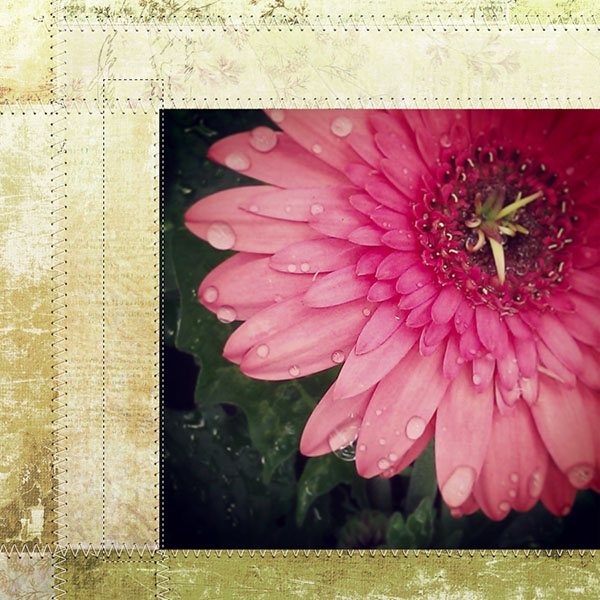
With just releasing our 10th year of calendars here at Cottage Arts, we are now having a blast playing with them for our own use for the coming year. Since I seem to have a bit of a love of nature photography and photo blends, I’m creating one calendar full of them. For the cover, I came up with this mosaic idea and wanted to share how easy it was to create.

Open Photoshop Elements (Photoshop or Paint Shop Pro follows similar steps)

Create all 12 months’ photo blends using the CD Case set (square) using the step-by-step tutorial (printing, cutting, and display info also included). Save each month without the calendar overlays (in high quality jpg format), as well, to use on the cover. For our samples we also added various word art from our shop.

cottagearts-net_2231_282392536

Open 02 ScrapTemplate14.psd from Scrap.Templates 14

scrap_templates14 02-scraptemplate14-cottagearts

Open one of the month’s photo blends (without the calendar overlay on it as described above)

Drag one photo blend onto the ScrapTemplate

Resize and position where desired using Move Tool

mosaic_screen1

Move the position of this photo blend to the layer right above the desired photo mask you want to clip to

Clip photo to photo mask (Layer>Create Clipping Mask or shortcut Ctrl+G; Mac: Cmd+G)

mosaic_screen2

Repeat for remaining images

Save as layered .psd file to be able to edit in future

Flatten Image

Resize to 4.75×4.75 inches to fit the CD Case size (Image>Resize)

Open Title1 from the CD Case Calendar Set

Drag Title overlay onto mosaic

Position where desired. I decreased the opacity a touch so it was slightly transparent

Add one of the Photo Art Blends and play with the layer blend mode (I used #25 on Darken), if desired

Print directions are included in tutorial for this set

Here’s another similar version created with a collection of favorite poppy images.

2013-cd-photoblendcover2 michelle shefveland

And, Beth went a totally different direction and used the calendars themselves in a mosaic card.Very creative idea.

everyday_resize2 beth ervin

And, we couldn’t not share at least one digital layout in a mosaic style. Great for photos all from the same shoot.

emily_scrapframes6_inspiration_scrapwords michelle shefveland

Happy creating!

Michelle

Capturing Autumn {shooting, scrapping, & baking}

September 30th, 2012

poppy2012-fresco-clickmask33 michelle shefveland. layout details

Hi everyone. Rachel here today. Mmmmmm. Do you smell that? It’s the smell of bonfires, fallen leaves, and of course all of those apple and pumpkin recipes that have been floating around the internet. Fall is most certainly here! While Mom is outside capturing the beauty of autumn’s glorious hues, I’m often inside thinking of what to make for dinner!

iheartfall cell phone photo

It’s so true, in the fall we just can’t get enough apple pie, pumpkin butter, or cinnamon rolls. They are the flavors of autumn. A few days ago, a wonderful neighbor unloaded a huge bunch of harelson apples upon us, and immediately my mind started churning with delicious thoughts of all the things I could do with them.

v2012_09_28a004-custom canon 7d photo

I wanted something simple, something that was sweet, but didn’t overpower the tartness of the apples. And then this was born.

v2012_09_26a017-custom

Cinnamon Apple Pizza. At least that’s what I call it. It’s basically a less complicated apple tart, because the crust is made from a quick pizza dough, and I didn’t bother making the edges all fancy. But it tastes so wonderful. The cinnamon and small amount of sugar bring out all of the flavor in the apples, and the crust is thin enough not to be overbearing, but still has substance. And best of all it took less than half an hour from start to finish! An apple/peeler/slicer gizmo sped up our prep time and we were able to freeze extras in 8 cup portions for baking throughout the winter months.

Yes, our family devoured the tasty treat in less than five minutes, but Mom was able to shoot a couple quick shots (unfortunately it was pitch dark so had to use indoor light). We thought you might like the recipe, too…

v2012_09_26a002-custom
Cinnamon Apple Pizza
Yields 2 pizzas
Ingredients:
Crust, adapted from here
1/2 c. water, heated to 110 degrees
1/2 tbsp. olive oil
1/2 tbsp. sugar
1/2 envelope (1 1/8 tsp.) rapid-rise or instant yeast
3/4 – 1 c. all-purpose flour (start with 3/4 cup and add in more if the dough is too wet)
1/2 c. whole wheat flour
1/2 tsp. sea salt
Topping:
3-4 apples thinly sliced
1/4 – 1/2 cup sugar (depending on the type of apple, you might want to adjust the amount of sugar)
1 tablespoon cinnamon
2 tablespoons butter, at room temp
Directions:
1. Preheat oven to 425 degrees F.
2. Whisk water, oil, sugar, and yeast in a bowl. Allow yeast to proof for 5 minutes.
3. Meanwhile, combine apples, cinnamon, and sugar in a small bowl until apples are coated.
4. Mix flours and salt in another bowl.
5. Add flour mixture into yeast mixture, and stir until combined. Quickly knead dough until it comes together.
6. Divide dough into two equal parts. On a floured surface, roll out dough into 9-inch rounds. Place on a parchment lined baking sheet.
7. With the back of a spoon, spread butter onto the crust, covering the surface, and top each round half of the apple mixture.
8. Bake for 15-20 minutes, or until crust is turning slightly brown.
9. Cut with a pizza cutter.
10. Eat while warm!
scrapbook-page-535 rachel shefveland. layout details

Our fall baking Pinboard keeps us dreaming of more delicious creations. Hope it does for you, too!

pin_fall

Happy autumn!

Rachel Shefveland

Favorite iPhone Apps {phoneography}

September 27th, 2012

140ff844077311e2952822000a1c8936_7 michelle shefveland. instagram photo

Hi, this is Donna Gibson again, here to share some of my favorite photo apps. Disclaimer: I’ll only talk about apps in conjunction with iPhones, but there are many apps available for other smartphones.

The most popular, and my go-to sharing photo app, is Instagram (also available for Android users on Google Play as Michelle shares above). It’s a free photo-sharing app (and now the basis of a hugely popular social network) that is quick and easy to use to edit [slightly] and post photos. I stalk it daily, specifically looking for photos of my grandchildren. =)

Here’s a photo I took this morning with my iPhone 5 when I walked the dog:

iphone1

Here’s the same photo of the tree after running it through Instagram (sharpened, boosted the colors, cropped, and added a border):

iphone2 donna gibson

There are scores of apps available to edit iPhone photos. Besides Instagram, I often use the following five photo apps:

Snapseed. This is my go-to app for editing photos for Instagram, because it offers so many options (many more than Instagram), and it’s easy to use.

PhotoToaster. This is my second favorite app for editing. At first I didn’t use it as much as Snapseed, because it wasn’t as intuitive for me. The more I play with it, the more I like it. The edits are non-destructive, and you can go back and change any earlier edit at any point before you click Save.

FxPhotoStudio. This app with its 194 filters lets you play with your photos and get creative! You can also layer multiple effects. Here’s an ordinary, unedited photo I took this morning while walking the dog:

iphone3

Here’s the same photo after I simply cropped it and added a filter, both with Photo Studio (no other editing done):

iphone4 donna gibson

I chose this filter because it looks like the scene is drenched in the early morning sun, and it will impress my family that I got up so early to take a walk.

Diptic (Android version here). This app allows you to combine two, three, or four photos into a single image. It has 52 different layouts into which you drop your photos. Here’s a Diptic layout with four photos of my gorgeous grandson:

iphone5

Not a one of these four photos was sharp, because my grandson is so active (even when he’s sitting). Collages are a good way to take the focus off individual photos that are less than stellar.

Fuzel Pro. This is another app for combining more than one photo into a single image. Fuzel Pro has more options than Diptic. It allows you to make collages incorporating different shapes, and it includes various filters, effects, and borders. It’s also good for creatively presenting just one photo, like I did here:

iphone6

The border, frame, and text were all added with Fuzel Pro.

While you’re editing and posting photos, don’t forget scrapbooking! All of these apps help you enhance your photos so that they’re ready to include in your digital scrapbooking pages. I’m scrapping more and more with photos from my iPhone than with ones from my Nikon 3100, because I take more photos with my iPhone, because my iPhone is with me at all times. I no longer miss those every day moments that make the best pages. Cottage Arts has all sorts of templates and quick pages to make your scrapping easier, as well as our super fun calendars like the cd case version below.

10sample-october2013-600 michelle shefveland. instagram photos. 2013 CD Case Calendar

And, here’s the Cottage Arts’ Phoneography Pinboard for even more inspiration!

phoneography-pins pinterest

Wishing you much joy as you take your photography to a new and fun level, just by using your cell phone!

Donna Gibson, Creative Team

iPhone 5 {phoneography}

September 25th, 2012

03-18_dg_aladdinwy donna gibson. iphone photos by carter gibson. you are loved pak, letting go pak

We have a fun and informative post by creative teamer, Donna Gibson, the happy owner of an iPhone 5 (and every earlier version!).

iphone5

Here is Donna’s instagram photostream. She loves sharing the humor in the everyday, along with beautiful floridian beach vistas of her summer vacations.

donna_instagram donna’s instagram feed

I asked Donna if she thought the iPhone 5 was worth upgrading to, and below is her honest and informative feedback:

“I’m not the best one to ask, because I love everything about every iPhone I’ve ever had. I think I’ve had every single one of them. Among my five kids, three daughters-in-law, hubby, and me, we have 9 iPhones. Peter (hubby) is the only one who doesn’t have one. I carry mine with me at all times, except in the shower. Yes, I even sleep with it next to me. =) It wakes me up in the morning, and I often look at instagram or email or something before I go to sleep. Then during the night or early morning hours it’s not uncommon for me to get a text message from one of the kids, since they’re in three different time zones, and all of us forget to remember who might be sleeping at what time.

I have over 100 apps on mine (many for photos) and 1000s of photos (enjoy looking at them when I’m waiting somewhere). I have a love/hate relationship with Siri. Usually she’s helpful, but other times she seems to mock my Southern accent and gives me really strange replies. This morning I was going to someone’s house where I’d never been. I told Siri the address and she gave me a map, showing 2 alternate routes. I also had a choice of turn-by-turn instructions or a street map to follow. I know smartphones have maps, but only iPhones have Siri to get you to the map. I can ask her about the weather or tell her to call someone. The possibilities are endless.

I didn’t get the iOS 6 update until I got my new phone on Friday, so I’m not sure whether the new things I like are from the iPhone or from the iOS update. One thing I love about the iPhone 5 is the size and shape! It’s so lightweight!! And so slim. The screen is longer so that it holds an extra row of icons, and because it’s now long and narrow, viewing movies is more natural. The speakers have been upgraded, too, and pages launch faster.

I can’t show comparison photos between my two phones because my iPhone 4S has already been sold. However, my daughter Graham and I stood on the same spot in the kitchen Friday night, and we each took a photo with our iPhones (she has the 4S, two versions older). Mine had better white balance (less yellow from the indoor lights). The iPhone 5 is even better than the 4S in low-light mode, and the 4S was better in low light than any point-and-shoot I’ve ever had. I’ve heard the iPhone cameras are putting a serious dent in the point-and-shoot camera market. None of us in my family have carried point-and-shoots for a while now.

FaceTime, an Apple video calling app, is also very handy. Not only can I see my family members who have moved all over the United States, but I can see whatever they want to show me. For example, when Graham is shopping, she might show me some clothes and ask my opinion. Much faster than texting me photos.

As far as I’m concerned, the iPhone 5 is totally worth every penny.”

Thanks, Donna! Stop back Thursday for her five favorite iPhone photo apps!

Happy shooting!

Michelle

instagram love {phoneography & flickr}

September 24th, 2012

instagram love, a set on Flickr.

How fun! I just learned I can share an entire set of photos from our Flickr photostream here on the blog. These are some of our summer 2012 instagram photos. To see all of them, simply click on the instagram love link right below the photo mosaic above.

Do you share your photos on Flickr or instagram? If so, we’d love to see your work. Our instagram id is @cottagearts.

Happy shooting and sharing! Michelle and team

Golden Light Blend Love {how-to}

September 23rd, 2012

click-mask-blend supplies here

Using more of my golden light images from our garden taken this summer, I created this quick blended collage using vintage paper Click.Masks 30.

cottagearts-clickmask30-prev v2012_07_10a164copy d2009_06_19a52-sunflare10 d2009_06_13a48camera-raw

FYI…camera specs: canon 7d, tamron 28-75mm/2.8 lens, iso 320, f/3.5, shutter speed: 1/100 second, shot at 8:50 pm on june 13, 2012 in central minnesota (sunset that day was 9:01 pm)

Below is a shot of the Layers Panel (in Photoshop Elements or Photoshop) and how all of the layers are blended together to make this layout.

blend_layers3

Also demonstrated on this piece is another use for our Photo Art Blends 3. As shown above, we blended #04 (30 – 12x12s are included in this set) into the mid-striped Everyday 15 Paper using Hard Light blend mode at 55% adding color, texture, and a photo tranfer-like edge. We also decreased the Saturation a touch on the Photo Art Blend (shortcut: Ctrl+U or Cmd+U on a Mac).

cottagearts-photoartblends3-prev

To learn more details about how to use our creative Click.Masks see how-tos on our blog here. Our Photo Art Blends each come with a PDF step-by-step tutorial with sample recipes.

Happy blending! Michelle and team

{inspired by} Pinterest

September 21st, 2012

scrapbook_page_533 rachel shefveland. everyday 16 papers, everyday autumn elements

Who isn’t inspired by Pinterest these days?!!! Rachel just made this pretty storyboard of some of her favorite pins and I had to share it here. Love!

With our new Everyday Papers and Everyday Autumn Elements it went together in a snap.

Tech tip: Pins title was created with the ribbon alphaset in the element pak, two layers for each letter…set on Multiply and Soft Light blend modes.

Here are the credits for her pins. Remember to always give proper credit when scrapbooking about Pinterest!

photo credits (from top left to right, bottom left to right):
deborah v
desire to inspire
pure vege
wit & whistle
honey and jam
amanda julca
brooke boling
deloom

Oh, and if you wish you can follow us and our love of Pinterest here.

FYI…our What’s New newsletter with awesome sale, new products, new team ideas, and awesome new Class-in-a-kit just went out this evening. We had so much to include it took longer than usual!

Happy pinning! Michelle and team

Golden Light Love {photo editing how-to & tips}

September 21st, 2012

2012-07-13-20-48-06-copy michelle shefveland. shot with HTC MyTouch4G cell phone. editing how-to below

As autumn approaches, warm golden light images are on my mind. Lots of idea sharing below, plus a fun tip on how to easily give your light-filled photos a boost in Photoshop/ Photoshop Elements.

We are fortunate to have a summer retreat with a big sunset view over a lake. Each evening I am in awe of the unique gift presented to us. And neighbors often witness me running out to capture the skies, with whatever camera I can grab first…be it the cell phone, point and shoot (Canon S95), or Canon 7D…any one of them is fabulous at capturing skies and sunsets. So I’ve shot lots…and lots of sunsets.

Here are a few tips I’ve learned along the way (all images shown were shot at our lake place over the past four years with various cameras)…

Set your camera to cloudy white balance for vibrant, warmer hues. Or increase the saturation on your cell phone camera settings.

Add people for interest. When looking at the whole scene, your camera will naturally silhouette figures in the foreground, as well as trees and grasses. This is because the sky is SO much brighter and the camera thinks there is a lot of light. Our family likes to have fun being silly. This shot below captures that characteristic. Tip: when shooting movement in such low light settings, bump up your camera’s ISO to increase the shutter speed.

jumping_mshefveland shot with canon 7d

If you are focusing/light metering on your subject and you want them silhouetted, you will need to adjust your exposure compensation very low and depending on the light in the background, it could be up to -2 EV. This is really trial and error because the light levels change quickly during a sunset.

Try different angles, lie on the ground, get high on a hill, move to the end of a dock, shoot in front of trees or grass, etc.

kayaking_mshefveland shot with canon 7d

Experiment with blur and moving the camera. See more ideas and tips on abstract blurs on our blog here. If you have an image stabilizing lens turn that function off, as well as any image stabilizing setting on your camera (even cell phones have this feature).

blur_mshefveland shot with canon 40d in june, 2009. iso 125, shutter speed .4 seconds, set on tv mode

d2009_06_20a47-copy_1 shot with canon 40d in june, 2009. iso 200, shutter speed .6 seconds, set on tv mode

Play around with varied levels of sunset. Often the most vibrant hues are about 15-30 minutes AFTER sunset, as shown above. And, beautiful sunflare is easier to capture with the sun higher in the sky as below.

d2009_06_13a54-copy2-copy shot with canon 40d in june, 2009

Get out on the water itself…in a kayak, canoe, boat, whatever. You can reach out and touch the reflections, as in this black and white water lily image shot right at dusk.

sunset_mshefveland2 shot with canon 40d in june, 2009

Our little editing how-to today will use two simple shots from a cell phone camera, demonstrating how anyone can achieve this type of image. No need to have a big DSLR. Light, composition, and subject matter are key. Editing done in Adobe Photoshop Elements 10, however, most versions of PSE, PS, and Paint Shop Pro would all follow similar steps.

My current cell phone is a HTC MyTouch4G Android system. Love it. With an 8MP camera, it also has touch screen focus and light metering…amazing. I find I now try to automatically do the same on the back of my Canon 7D! Sure, it is nothing compared to a DSLR, however, it is always with me and when using light to my advantage, the results can be quite spectacular.

We use DropBox to automatically transfer cell phone images to my computer system where we have easy access to use them in our digital artwork.

sunsetboost1-beforeafter

This image was shot at Munsinger Gardens, St. Cloud, Minnesota (overlooking the Mississippi River) on September 14, 2012 at 6:48 pm. Sunset was 7:05 pm. I like the shadow play and light hitting the cobblestone path. But it’s quite drab and cold, as shadows close to sunset are very cool. Let’s boost it a bit.

Open Adobe Photoshop Elements

Open  Photo (File>Open>Browse system for Dropbox folder)

Now for the super easy effect.

Use shortcut D to set the color chips to their default of Black and White.

Make the foreground color chip a bright orange. Click on the color chip and enter color number F55714. Click OK to set color.

sunsetboost-color

Add a Gradient Map adjustment layer (Layer>New Adjustment Layer>Gradient Map) to the Layers Panel.

sunsetboost-gradientmap1

It will look pretty weird at this point…no worries!

sunsetboost-gradientmap2

Now, simply set this Gradient Map to Soft Light blend mode.

sunsetboost-gradientmap3

Ta da! That’s it.

sunsetboost1-beforeafter

Here’s the before and after. A nice subtle, realistic transformation.

Now let’s see a bit more of a dramatic change.

sunsetboost2-beforeafter

This image was taken in central Minnesota on July 13, 2012 at 8:48 pm. Sunset on that day was 8:58 pm. It had just started drizzling with the sun peaking out of the clouds, making for dramatic colors and light. All I had on me was my cell phone camera and it didn’t let me down.

I followed the same editing steps as above, however, set the blend mode on the orange-white gradient map to Color Burn at about 40% opacity. Play around with the opacity as Color Burn is intense.

sunsetboost2-colorburn40_0

Note: One thing to be aware of is cell phone camera photos are often noisy in the shadowy parts of the image (as of 2012). I reduced the noise (Filter>Noise>Reduce Noise>play around with settings) and added a duplicate layer of the image. To this duplicate I applied a small Gaussian Blur (Filter>Blur>Gaussian Blur>1-2 pixels). I set this blurred layer on Soft Light Blend mode.

So that’s all there is to it! Play around with shooting and editing sunset shots and see how creative you can be!

As added inspiration, see our golden light loves Pinboard here.

pinterest_golden

Golden Love element tip: Experiment with Color Burn or Linear Burn blend modes with our elements to give them a boost when paired with autumn hues (as done on the layout below).

sunsetperfectday-everydayautumn-fresco2_1 everyday autumn elements, fresco 2 papers, click.masks 32, this is life 5 scrap.words

With instagram and our Photo Booth Strip Templates, I tried to instill in the collage below the peace of being able to experience such beauty.

summerlake2012-photostrips-offbeatenpath13-frameblends michelle shefveland. frame blends 2, off the beaten path 13 papers, photo booth scrap.templates, letting go pak (hinges), words to live by

Here’s some modern art I just made using some sunset images of golden autumn leaves with our new ShapeBlends geometric templates. So fun. They come with a PDF step-by-step tutorial, so you can easily get similar dramatic results!

goldenlight_perfect-day_shapeblends1_fresco2 michelle shefveland. shapeBlends 1, everyday autumn elements, fresco 2 papers

Happy golden light shooting! Michelle and team

New FrameBlends no.2 {ideas}

September 6th, 2012

tulips2012-fresco2-frameblends2 michelle shefveland

Our team just released a second set of FrameBlends, so thought it a good idea to pop in and share some inspiration on how to utilize them and their ‘fun’ factor! Introductory pricing thru Sunday, September 9, 2012.

This set comes with 12 different vintage filmstrip frames and frame clusters for 1, 2, 3, 5, 9, and 10 photos. Eight of these also come with ready to use texture overlays, so 20 total.

cottagearts-clickartistry-frameblends2-prev

Here are some tips and ideas…

gardengods2012-frameblend2-roadtrip michelle shefveland. frame blends 2, road trip pak

Simply use one of the full page single FrameBlends ‘as is’ to showcase a favorite image (shown above). Perfect for displaying as wall art. Drop shadows come on the frames with the textured blends so all you need to do is drag and drop. Voila…instant color, texture, softness, and shadows where needed!

Pair with a painted Click.Mask for soft loveliness (as shown at top). A clip from our Art Journal Clipboards makes the perfect ‘fastener!’

Juxtaposed with a colorful modern image and photo booth strip, the vintage frames add interest as Tonya shares here.

201209_grade_2 tonya regular

All who love layering, simply plop on top of your favorite scrap.clusters. When using a FrameBlend the photo gets a real dreamy effect.

rachelkayak2012journey-arbortem-frameblends2-lovegrows michelle shefveland. frame blends 2, arboretum papers, love grows elements, road trip scrap.words

Here’s how the page and photo looked before we dragged and dropped the FrameBlend on top.

rachelkayak2012journey-arbortem-frameblends2-lovegrows-before

Add a creative twist by offsetting a single FrameBlend over a photo booth strip (using our new Photo Booth Scrap.Templates). We added a clear frame over the top of the frame blend to add a bit larger shadow.

summerlake2012-photostrips-offbeatenpath13-frameblends michelle shefveland. frame blends 2, off the beaten path 13 papers, photo booth scrap.templates, letting go pak (hinges), words to live by

Here’s how the layer palette looked…place the clear frame over the textured FrameBlend. My drop shadow settings were 120 degrees, size 21, distance 19.

frameblend2_1

Or…under some photo booth strips…

scrapbook_page_526_small rachel shefveland

Use the 9 frame set to tell a story or share a series of images. Used without blends, you get clear and crisp images. We made this for Mom, as she continues to sew as art therapy for her cancer battle.

joyfulstitchescollage-frameblend2 michelle shefveland. frame blends 2, photo art blends 3, love grows elements, in my garden pak

And, last but not least for ideas…they are of course perfectly suited for heritage layouts! Beth uses three of them below…two for highlighting word art…

plum_haze4_resize beth ervin

So many possibilities for endless creative play. See more ideas and details for layouts above in our frameBlends 2 gallery.

See more ideas and tips using our first set here.

Happy creating!

Michelle and team

What’s Better than Free {get it printed no. 21}??

August 29th, 2012

We all love free, but what I love even more is when we can also re-use something instead of throwing it away. In this case, I found some bark lying in our yard that fell off a large branch. Hmmm…so pretty, but how to use?

v2012_08_13a051-custom poppy blend: photo art blends 4

Just so happens that a 4×6 photo blend nestles perfectly inside. No fastener, tape, or glue needed!

v2012_08_13a033-custom_1 lady slipper blend: photo art blends 2, this is life 4 scrap.words

We also had a wire grate accent and decided to showcase a few photos using magnets since the wire is magnetic (and hot-glued buttons to the magnets) . Love how easy and economical this was!

pinterest_frugal

See our Pinterest Pinboard showcasing other frugal wall art ideas using digital art and photos.

Happy printing! Michelle and team

Related Posts Plugin for WordPress, Blogger...